
Docket. Paperwork by phone call.
Your crew ring a number and answer your form's questions. The finished docket is a PDF, filed on the job.

Watch the film.
Built for three jobs.
Built for New Zealand and Australian crews, in three kinds of work.
01 · For fleets
A fault at 5am, and the office knows.
Ridgeline Haulage runs its fault reports through Docket. 5:04am in the yard, and the check engine light is on in fleet number 14. Most drivers only have time when they are moving. The call is hands-free from the cab: nothing to type, nothing to read back, nothing to wait for.

- Ring
- Dave rings the fleet line from the cab. His number tells the agent who he is.
- Answer
- The fleet number, the fault, how serious. Safe to drive, he says, but someone needs to look at it.
- It lands
- A PDF to Dave and a text to the office before the truck leaves the yard. “Not safe to drive” would have been an alert.
- Agent
Morning Dave. What's the fleet number?
- Dave
Fleet number 14. Check engine light's come on, no loss of power.
- Agent
Is it safe to drive?
- Dave
Yeah, I'll carry on, but someone needs to look at it.
- Agent
How serious would you say it is?
- Dave
Drive with care. It's not urgent.
- Agent
Thanks Dave. You'll get a copy by text after the call.
Vehicle fault report
- Lodged by
- Dave, registered number
- Fleet number
- 14
- What's wrong
- Check engine light, no loss of power
- Driver can carry on
- Yes
- How serious
- Drive with care
PDF Texted to Dave, emailed to the office.
Te reo Māori names and place names are said the way they should be.
Connected to EROAD and MiX for your fleet.
For vehicle tracking and reporting. The agent knows the vehicle from your fleet list, and the fault report reaches your fleet team and your own systems by webhook or the API.
-
 EROAD
EROAD
-
 MiX by Powerfleet
Fleet dockets: vehicle fault report, pre-start inspection, proof of delivery.
02 · For trades
Notes on job 4223, filed from the van.
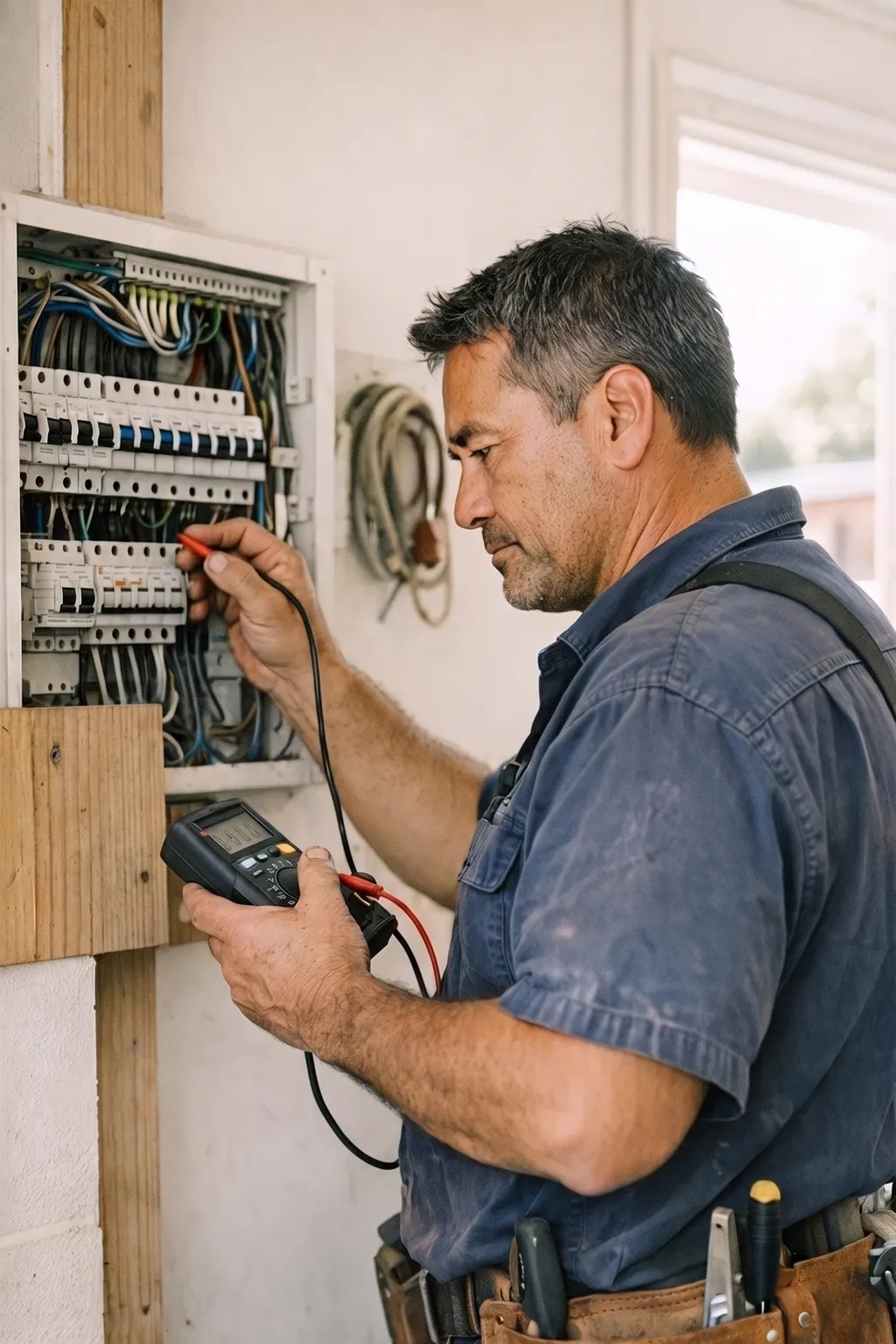
Bayline Electrical has its own agent on its own line. 3:40pm, and an electrician has finished at a villa.
- Ring
- He rings Bayline's line: can you add some notes to job 4223?
- Answer
- Main switch swapped, it was cooked. Two RCDs for the owner, an hour and a half extra, nobody needs to go back.
- It lands
- The PDF and a job note on job 4223 in Fergus, and a copy to him by text.
The same line takes his certificate of compliance under his PIN, quote notes for a new heat pump (a draft quote in Xero, ready for the office to send), and the site diary, toolbox talk, hazard and incident reports.
Filed where the work lives.
Fergus takes dockets on the job today; the rest, by webhook or the API.
-
 Fergus
-
 Simpro
-
 ServiceM8
-
 Tradify
-
 Xero
Xero
-
 GoHighLevel
-
 Freshservice
-
 Autotask
03 · For your office
Your own PA, by phone call.
Docket is not only forms. Anyone in the business can ring it and say what they need.
- Ring
- The same line, from the ute, the site or the desk.
- Answer
- Say it the way you would to someone in the office.
- It lands
- A reminder, an email, a note or a task, done.
Remind me at seven tomorrow to ring the scaffolders.
A text or an email when the time comes.Email the body corporate at Parkside: we're on site Thursday from eight.
Written up and emailed to them, from your phonebook.Note for the office: the Hendersons want a second quote.
In the inbox as a note or a task.Timesheet for Station Road: seven till half four, half an hour for lunch.
Lodged as a timesheet.Water meter at the depot reads 48213.
A meter reading, with the time it was taken.
For trades, transport, construction, property, cleaning, healthcare admin, hospitality and events.
Every docket, one inbox.
Every docket is in the Dockets inbox with its answers, photos and where it went. Any other system takes it by webhook or through the Dockets API.
- Webhook
- Dockets API
Only your crew can lodge one.
A docket gets acted on, so who lodged it is checked by Talkify after the call, not just asked for on it.
Verified by registered number and PIN.
Printed on the PDF, so a certificate carries its own trail.Their registered number.
Caller ID is checked against your phonebook. A number you have not listed cannot start a docket; the agent offers to pass a message on instead.
A detail only they would know.
Where you want more, the worker says it out loud: an employee number, the truck rego, a PIN, your choice. Nothing to type and nothing texted, so it works hands-free from the cab. Three wrong answers and the office is told.
Forms you open to anyone.
Some dockets you want from people who are not staff, like a tenant reporting a fault or a customer leaving a meter reading. You choose which templates are open. Those dockets wait in the Dockets inbox for the office to look at before anything is filed anywhere.
And it will not tell a stranger whether a rego, a job or a docket exists.
Calls, transcripts and recordings are handled in New Zealand and Australian data centres, and nowhere else.
Under the Privacy Act 2020 the dockets are your records, and the Act recognises Australia's privacy law as giving comparable protection.
Rounds at knock-off.
4:30pm
Calling Sam for the daily site report, Station Road
Or the agent rings them at knock-off for the day's timesheet or site report. Nobody is rung outside your calling hours.
Sixteen dockets, ready to switch on.
The job sheet, the defect card, the delivery slip. Use one as it is, reword it, or build your own.
01 · For fleets
- Vehicle fault reportWhat is wrong and whether it can keep going.
- Pre-start inspectionTruck, ute or plant, item by item.
- Proof of deliveryWho took it and the condition it arrived in.
02 · For trades
- Electrical certificate of complianceThe work, the tests and the electrician's own statement.
- Job notesExtra work, time and materials on a job you name.
- Daily site reportWeather, crew, work done, what held it up.
- Toolbox talk recordThe topic, who came, what was agreed.
- Hazard identificationThe hazard, the risk and the controls.
- Incident or near miss reportWhat happened and what was done.
- On-site quote notesScope, materials and hours, and a draft quote in Xero when it is connected.
03 · For your office
- ReminderWhat and when. A text or an email at the time.
- Dictated emailWho it is for and what to say.
- TimesheetJob, start, finish, breaks and travel.
- Meter or stock readingWhich asset, the reading and when.
- Skills checkA short questionnaire that scores a worker's skills and lists the gaps for the office.
- Custom docketA blank one. Your questions, your words, your order.
What Docket costs
Included.
Docket comes on its own as a paperwork line, or drops onto the agent you already have. Included with any Talkify agent; texts at the usual text rate. See the price list.
Frequently asked questions
What is Docket?
Paperwork by phone call: a worker rings, answers your form's questions, and the finished docket is a PDF, texted, emailed and kept in your Dockets inbox. It is part of Talkify, for businesses in New Zealand and Australia.
Do my crew need an app or any training?
No. Any phone will do, and the agent leads the conversation, so there is nothing to learn.
What if they do not know an answer?
Optional questions accept "don't know". A required one is asked again, never made up, and if it is still missing the docket waits in the inbox for the office, gaps listed.
Can photos go on a docket?
Yes, after the call. A picture message from the worker's own mobile, within an hour of the docket, goes onto it and into its PDF.
What does it cost?
Docket is included with any Talkify agent. The texts it sends are charged at the usual text rate, emails cost nothing, and calls use your plan's minutes like any other call. The calls a round makes are outgoing minutes.
Where is the call data held?
In New Zealand and Australian data centres, and nowhere else, with transcription and recordings included. Under the Privacy Act 2020 the dockets are your responsibility, so get that answer in writing from whoever you buy from.
Paperwork done. OK, Docket.
Start free with your first agent and switch Docket on. We will set your first docket up with you.
gettalkify.com/docket
Rather talk it through? Talk to us.